DaybreakBuilder
DaybreakBuilder logo

Build heroes. Run worlds.

Free, open-source D&D 5e character builder and GM toolkit for Windows and Linux. Reads Aurora content.

2014 and 2024 rules · Windows 10/11 · Linux · MIT license

A new dawn for Aurora content

Aurora Builder was a well-loved Windows-only builder whose development stopped around 2020. Its data format lives on in the community-maintained AuroraLegacy/elements repository. DaybreakBuilder is a from-scratch reimplementation of the rules engine with a modern interface. It loads the same .xml element files and .index content indexes and imports Aurora .dnd5e characters.

Features

Everything works offline, on your own computer, from the content you load.

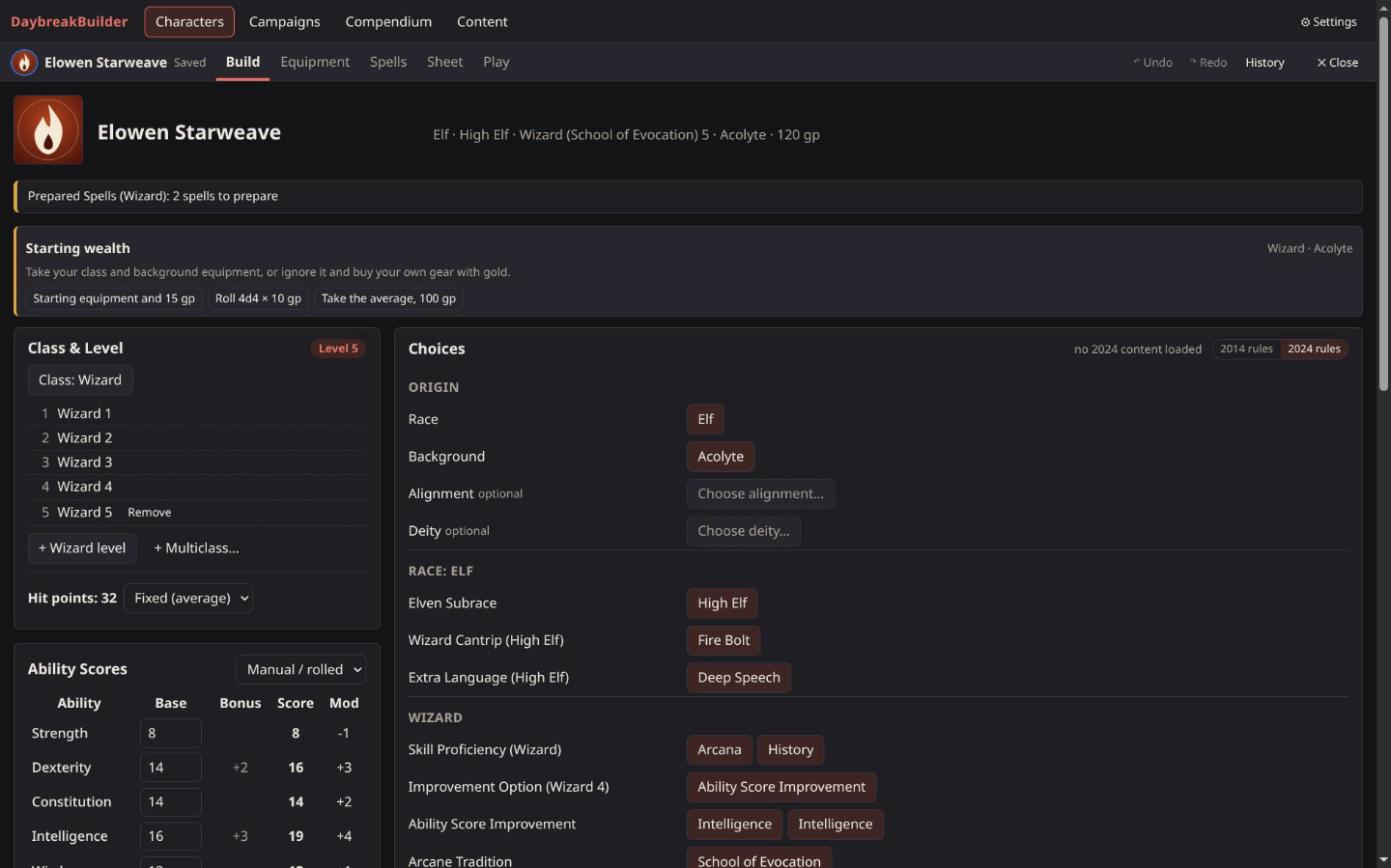
Character building

Races, classes and multiclassing, backgrounds, feats, ability score improvements, spells and equipment, all driven by the content's own rules. Supports the 2024 backgrounds with Origin feats and background ability increases. Red dots mark open choices; undo, redo and a change history.

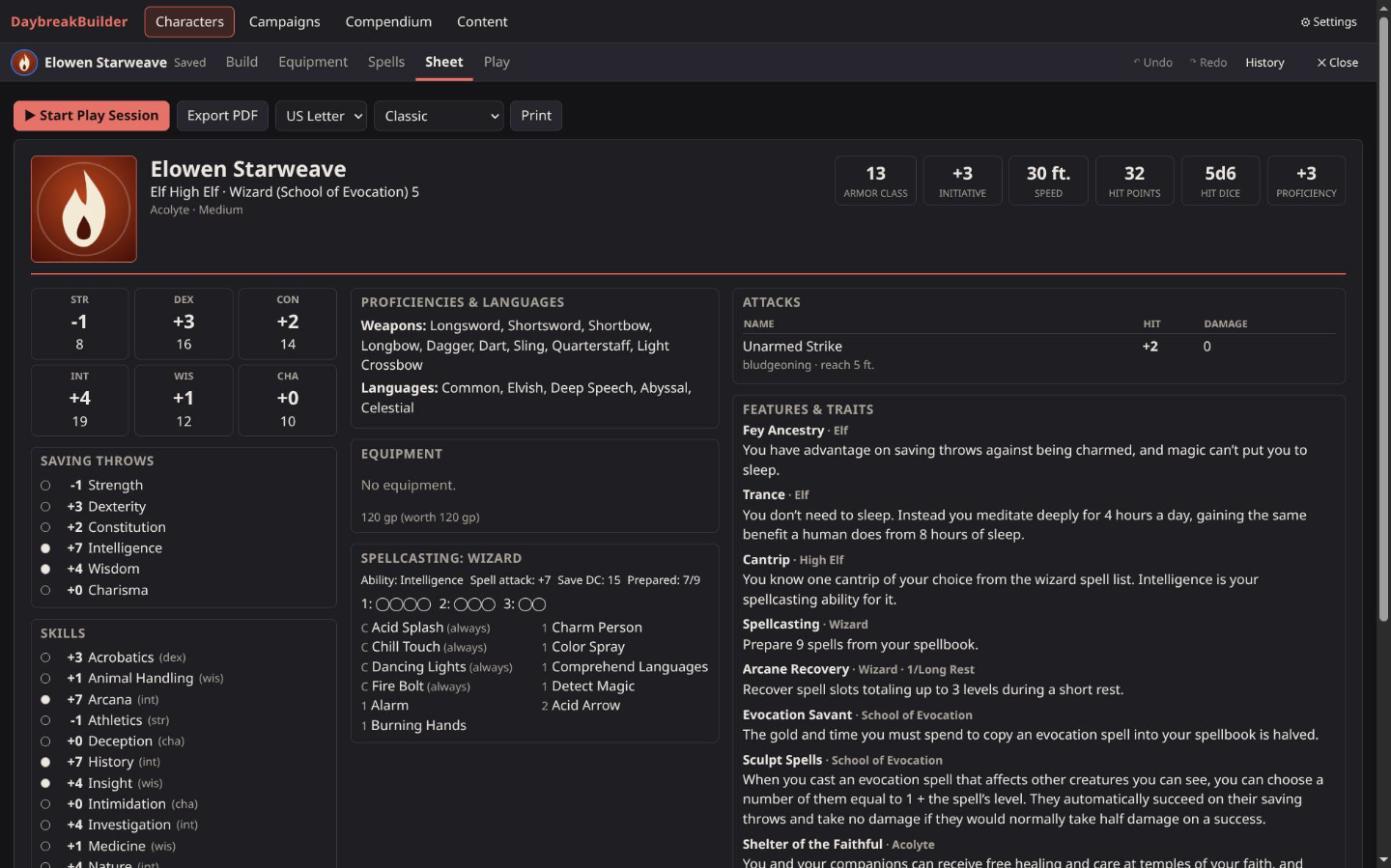
The full sheet, explained

Abilities, saves, skills, AC, hit points, speeds, proficiencies, features and spellcasting, with a breakdown of where every number comes from. Export a multi-page PDF sheet (US Letter or A4) with spellcasting, companion and background pages. Metric units if you prefer them.

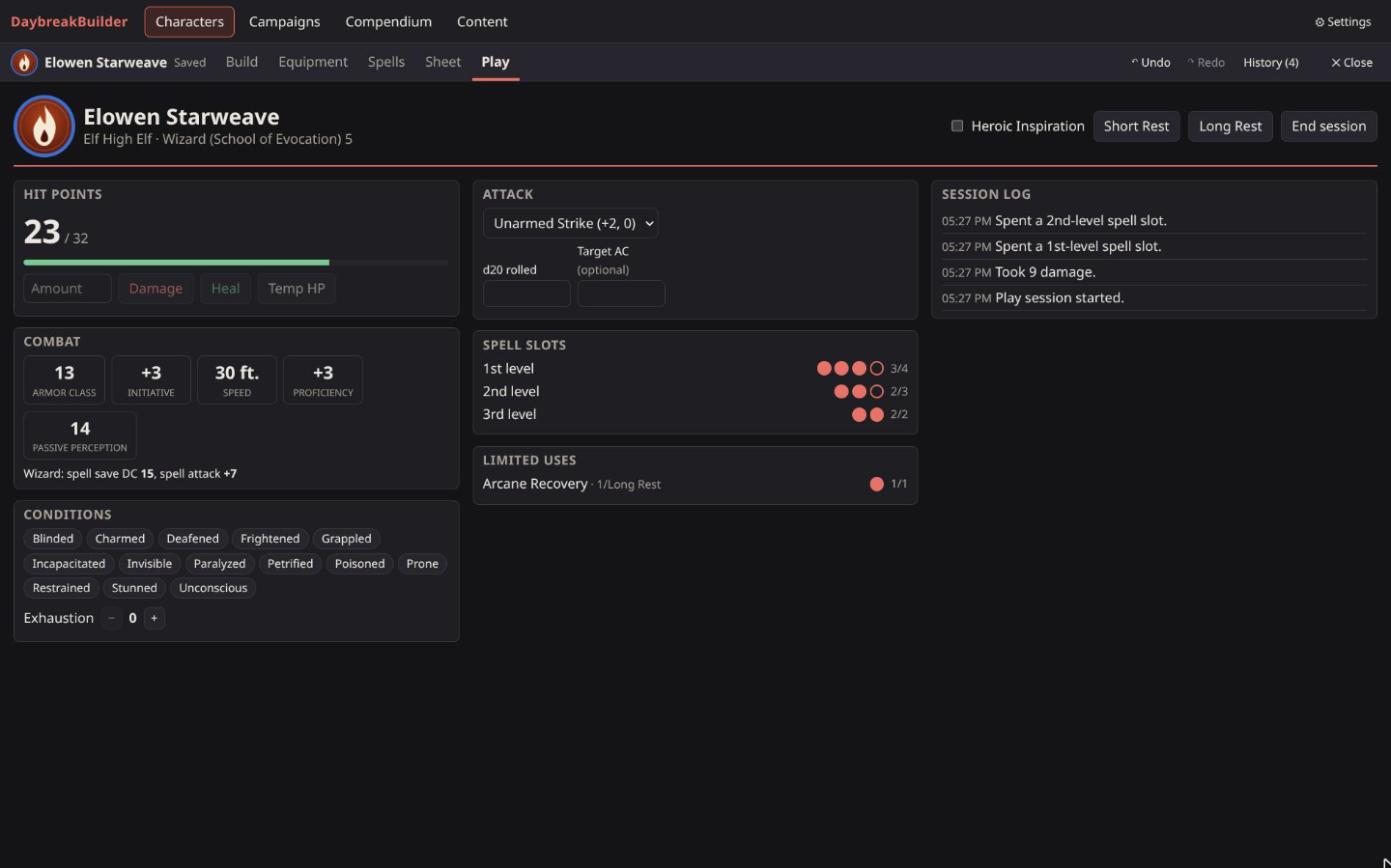
Play mode

Use the character at the table: hit points with temporary HP and death saves, spell slots and Pact Magic, limited-use features, conditions, Exhaustion, Heroic Inspiration, short and long rests. Roll real dice and enter the results; the app adds the bonuses. Everything is logged and can be undone.

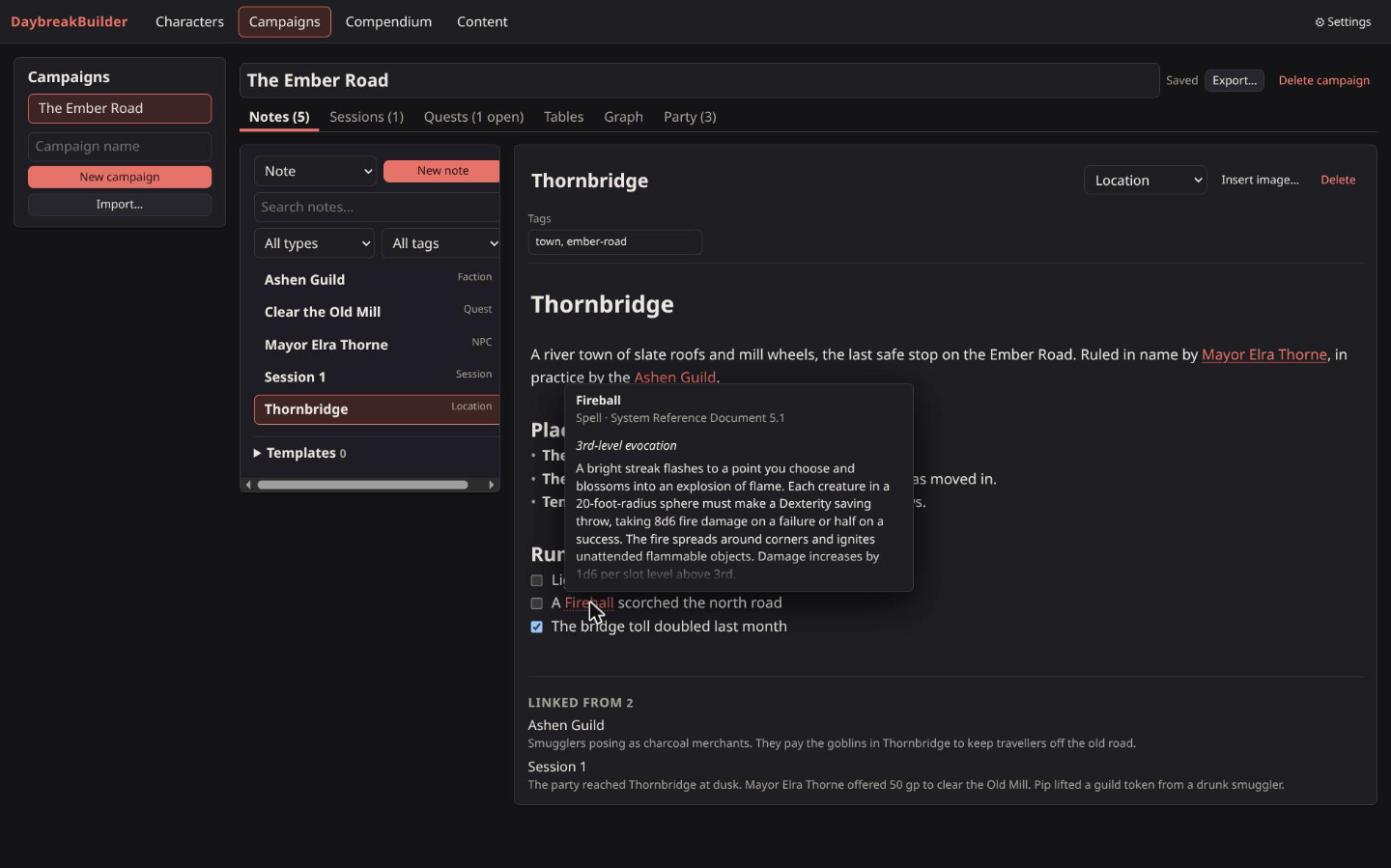
Campaigns and notes

Markdown notes with live formatting and [[links]] to notes, characters and anything in the compendium, with hover cards and backlinks. Sessions, quests, images, templates and a graph of your notes. On desktop a campaign is a folder of Markdown files that also opens as an Obsidian vault.

Encounters and initiative

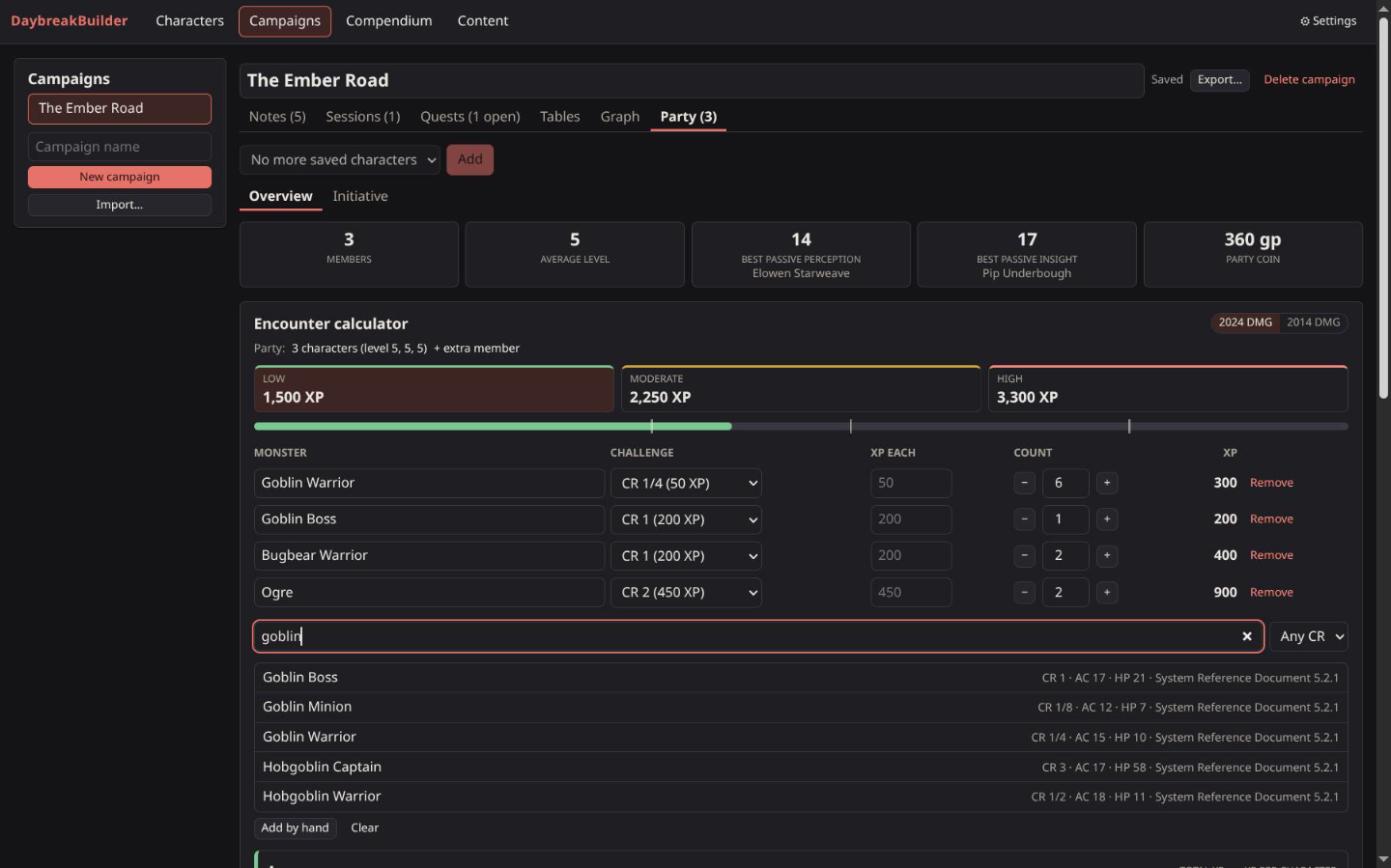
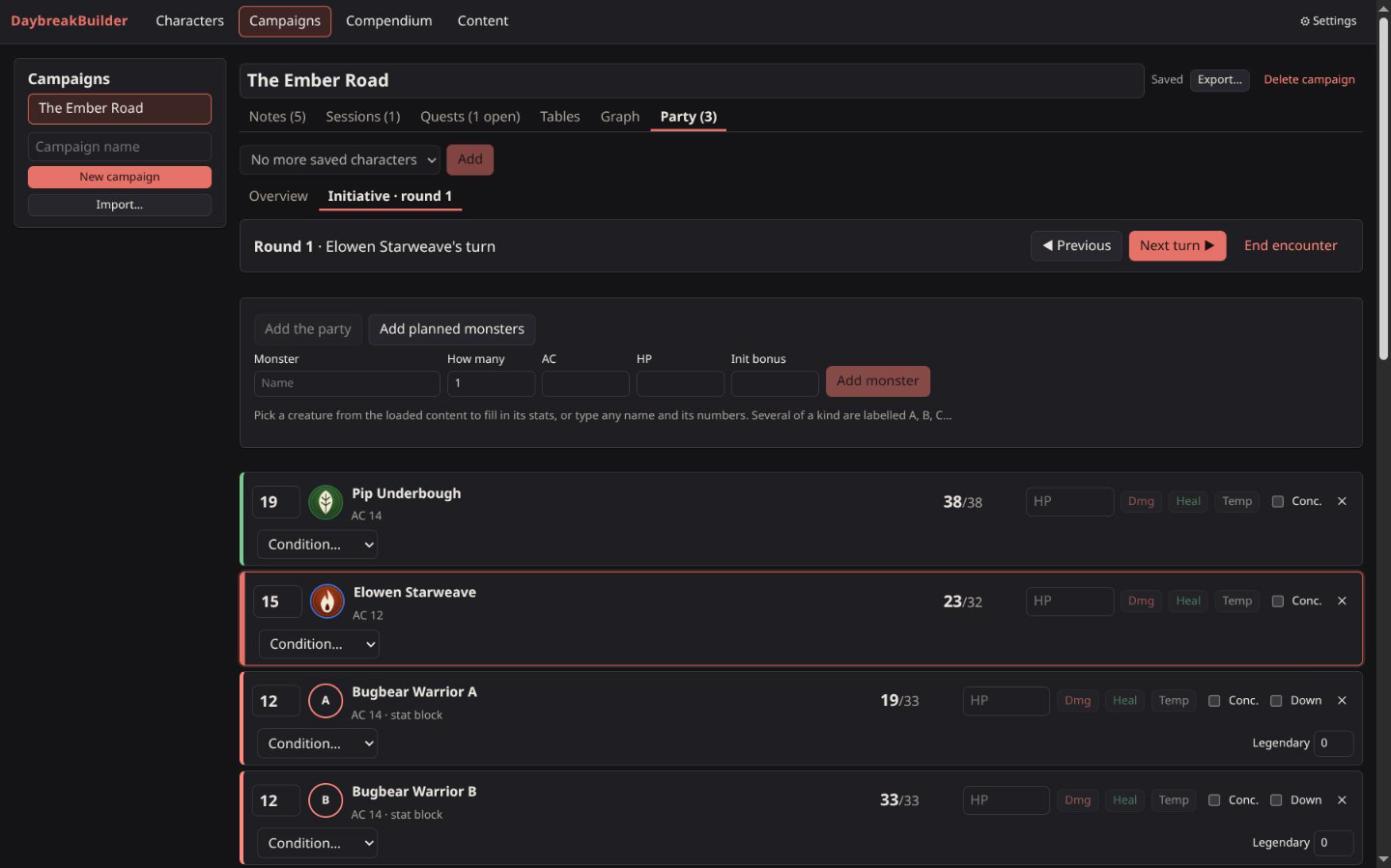
Plan encounters from the loaded monsters against the party's XP budget (2024 or 2014 DMG), save them to the campaign and run them in the initiative tracker: turn order, rounds, hit points, conditions with durations, concentration and legendary actions, shared with the players' Play mode.

Tables, generators and sharing

Random tables written as notes, with dice and nested tables. Generators for NPCs, names, taverns, shops, treasure and encounters. Character portraits and tokens for virtual tabletops. Export a whole campaign, party included, as one zip file.
Screenshots

Click a picture to see it full size.

Download

Get the latest version from the releases page.

SystemFile
Windows 10/11…_x64-setup.exe or …_x64_en-US.msi (installers), or …_x64_portable.exe: no install, keeps its data in a folder next to the exe, good for a USB stick.
Linux….AppImage (any distribution), ….deb (Debian, Ubuntu), ….rpm (Fedora, openSUSE)

SHA256SUMS.txt on each release lists the files' checksums. The builds aren't code-signed, so Windows SmartScreen may warn the first time: More info → Run anyway. On Linux, make the AppImage executable before running it:

chmod +x DaybreakBuilder_*.AppImage
./DaybreakBuilder_*.AppImage

Quick start

From download to a finished character in a few minutes.

  1. Load contentOpen the Content tab and press Download (prefilled with a 2024-rules index), or Import XML files…. The built-in SRD 5.1 works out of the box. On desktop you can also drop XML files into Documents/DaybreakBuilder/custom and press Rescan.
  2. Create a characterCharacters → New character, or Import… an Aurora .dnd5e file.
  3. BuildChoose classes and levels and ability scores, then work through the choices. Add equipment and prepare spells; AC, slots and save DCs update as you go.
  4. Sheet and PDFCheck the finished sheet and Export PDF.
  5. PlayPress Start Play Session on the sheet to track the character at the table.
  6. For GMs: CampaignsCreate a campaign, add the party, write linked notes, plan encounters and run them in the initiative tracker.

Content and FAQ

What comes in the box and what you bring yourself.

What content is included?

The rules plumbing and the System Reference Document 5.1 (CC-BY-4.0): nine races, the twelve classes with one subclass each, the Acolyte background, equipment and 315 spells. No other copyrighted game content is shipped. Load content you own or that is openly licensed, from an index URL or your own XML files. SRD element ids match the community content, so characters stay valid when you add more sources.

Can I use my Aurora content and characters?

Yes. DaybreakBuilder loads Aurora .xml element files and .index content indexes, including updates from the AuroraLegacy repository, and imports .dnd5e character files.

Is it free? Do I need an account or internet?

It's free and open source under the MIT license. There's no account, and your characters and campaigns are saved on your own computer. The internet is only used when you download content from an index URL.

Does it work with Obsidian?

On desktop each campaign is a folder of Markdown files with YAML front matter, which opens as an Obsidian vault. Open folder… uses an existing vault or a synced folder as a campaign, and changes made in other programs show up when you switch back to the app.

Can I write or check my own homebrew?

Yes. Put your XML in the custom folder. The repository also has a validator that reports broken XML, missing references and unplayable options per file and line; see the README.

macOS?

Releases are built for Windows and Linux only; macOS isn't supported at the moment.